On this page (9 sections)
Quick answer
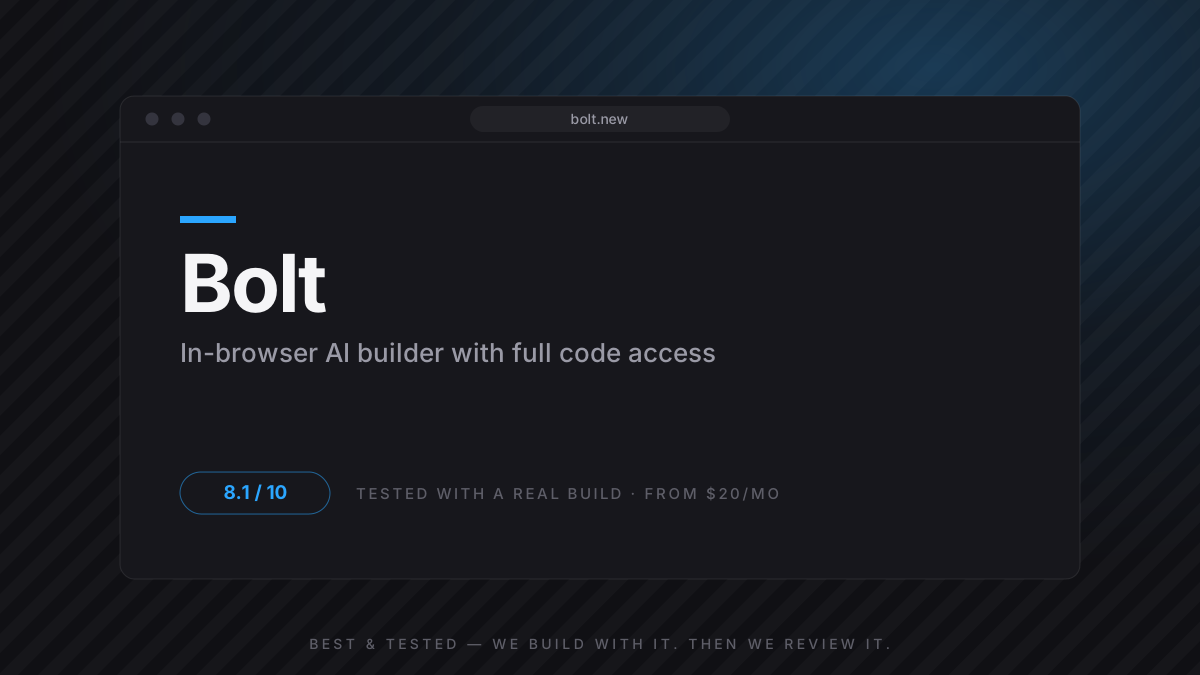
Is Bolt.new worth it in 2026? Yes — for developers who want AI to move fast but refuse to lose sight of the code. Bolt builds a full app in the browser with every file editable, which made custom logic far less painful than in Lovable. The trade-off is speed and UI polish: it's slower to a working app and its output needs more manual styling. Non-developers should still start with Lovable.
The builder for people who will edit the code — full visibility, at the cost of speed and polish.
Pick Bolt when you know a project will outgrow prompting and you'd rather be in the code from day one.
What impressed me
- Full code visibility and editing in the browser
- Handles custom logic better than pure no-code builders
- WebContainers give an instant, real environment
- No black box — you always know what shipped
What frustrated me
- Slower to a first working app than Lovable
- UI output needs manual polish
- Token burn climbs fast on larger projects
- Still assumes you can read and fix code
The Bottom Line
The builder for people who will edit the code — full visibility, at the cost of speed and polish.
Key takeaways
- Bolt reached a working invoicing app in ~40 minutes to first auth — slower than Lovable, but every file was mine to edit.
- The Stripe logic that walled the no-code build was tractable here because I could just open the file.
- UI came out at ~7/10 — functional, not beautiful; budget time for polish.
- Token consumption is the real cost to watch on anything past an MVP.
- If you never want to see code, this is the wrong tool — use Lovable.
Bolt at a glance
| Best for | Developers who want AI speed with full code control |
| Pricing | Free tier · Pro from $20/mo (token-based) |
| Generates | Any JS framework (Vite-based), full stack |
| Code ownership | Full — it lives in the editor |
| Deploy | Netlify integration, 1-click |
| Our score | 8.1/10 — scoring methodology |
What is Bolt.new, exactly?
Bolt.new is an AI app builder from StackBlitz that generates a full-stack web app from a prompt — but with one defining difference from Lovable: it shows you the code and lets you edit it, live, in the browser. Powered by WebContainers, the preview isn’t a mockup; it’s a real Node environment with a real terminal running your actual app.
That makes Bolt a middle point on the spectrum. Lovable hides code for non-developers; Cursor is a full editor for developers. Bolt sits in between — AI does the heavy lifting, but you’re never locked out of the files.
What I actually built (the same brief as Lovable)
To make this fair, I gave Bolt the exact brief from our Lovable review: a freelancer invoicing tool with Google login, a client list, an invoice builder with VAT, Stripe checkout and a revenue dashboard.
Bolt was slower out of the gate than Lovable — the first working screen took longer, and the initial UI was plainer. But the moment I hit the Stripe wall that stopped the no-code build, the difference paid off: I just opened the webhook file and fixed it. No fighting the prompt to reach code that was always there.
Features deep-dive: the visibility trade-off
Code access — 9/10, the whole reason to choose Bolt
Every file is open. When the agent produced webhook logic that looked right but failed, I read it, spotted the missing idempotency check, and corrected it in minutes. In a hidden-code tool that same bug is a dead end. If you can read code, this single feature changes what’s buildable.
UI generation — 7/10, plan for polish
Bolt’s interfaces are functional rather than beautiful. Compared to Lovable’s near-designer output or v0’s components, Bolt’s screens needed manual spacing and state work. Not bad — just not the “ship it as-is” quality of the UI-first tools.
WebContainers & environment — genuinely strong
Because the preview is a real environment, what you see behaves like production. Package installs, server routes, env vars — they work the way they will on a real host. It’s the most honest preview of any builder we tested.
Bolt vs Lovable vs v0: the 10-minute answer
| Bolt | Lovable | v0 | |
|---|---|---|---|
| Best for | Devs who edit code | Non-devs, full MVPs | UI components |
| Time to working auth | 40 min | 15 min | manual |
| Custom backend logic | 8/10 | 6/10 | 5/10 |
| UI output quality | 7/10 | 9/10 | 9/10 |
| Pricing (entry) | $20/mo | $25/mo | $20/mo |
| My score | 8.1 | 8.8 | 7.6 |
Best Bolt alternatives (and when to pick them)
Lovable
If you want the polished app faster and don't need to touch code, Lovable wins on speed and UI. Bolt wins the moment you must edit logic.
Read the Lovable review →Cursor
When your Bolt project grows past what browser building handles well, export and continue in Cursor — the natural next step.
Read the Cursor review →v0 by Vercel
If you only need components or a marketing page rather than a full app, v0's output is cleaner and faster to drop in.
Read the v0 by Vercel review →Pricing: what the tokens actually buy
| Free | Pro | |
|---|---|---|
| Price | $0 | $20/mo |
| Realistically enough for | A first MVP, light iteration | Active building across projects |
| Watch out | Daily token reset | Large projects burn tokens fast |
The thing nobody tells you: token consumption isn’t linear. A big refactor on a mature project can eat a surprising share of the allowance in one session. For MVP work it’s a non-issue; past that, watch the meter.
Who should use Bolt — and who should skip it
✓ Get it if you are…
- A developer who wants AI speed but full code control
- Anyone who hit a logic wall in a no-code tool
- People who want an honest, real-environment preview
✕ Skip it if you are…
- A non-developer who never wants to see code — use Lovable
- Someone who needs designer-grade UI out of the box
- A large, mature codebase — that's Cursor territory
How we tested (methodology)
The Best & Tested protocol — same for every tool in this niche
- Identical real-world brief (invoicing SaaS, 9 requirements)
- Built on an account we paid for ourselves
- Every prompt and token spend logged; failures counted
- Deployed via the Netlify integration and used for two weeks
- Score = weighted: output 40%, workflow 25%, pricing 20%, lock-in 15%
- Re-tested after major product updates
Full protocol, weights and raw logs: How we test →
Final verdict: 8.1/10
Bolt makes a deliberate trade: a little slower, a little plainer, in exchange for never taking your hands off the wheel. For a developer, that’s the right trade — the Stripe logic that ended our no-code build was a five-minute fix here. Know that you’re buying control, not polish, and Bolt is one of the most honest AI builders in the category.
Frequently asked questions
Bolt vs Lovable — which is better?
Do I need to know how to code to use Bolt?
What are WebContainers?
How does Bolt's token pricing work?
Can I deploy straight from Bolt?
Is Bolt good for production apps?
Sources & data
- Our raw build log (same invoicing brief as the Lovable and v0 runs)
- Bolt official pricing & docs (accessed July 2026)
- Cross-checked against the Lovable build, same protocol
Review changelog
Jul 2026 — Re-test on current version; score 8.0 → 8.1
Apr 2026 — First hands-on review published